Some notes to help you renew your u3a membership![]() online
online
Click on the link to the u3a Beacon Membership system, then read then follow these steps:
| 1. If you haven’t already set up a password you will need to click ‘Register for a membership account’. To complete the set up you must respond to the email which will have been immediately sent to you. Now enter your email address and password in the white boxes, and click Confirm Identity. | 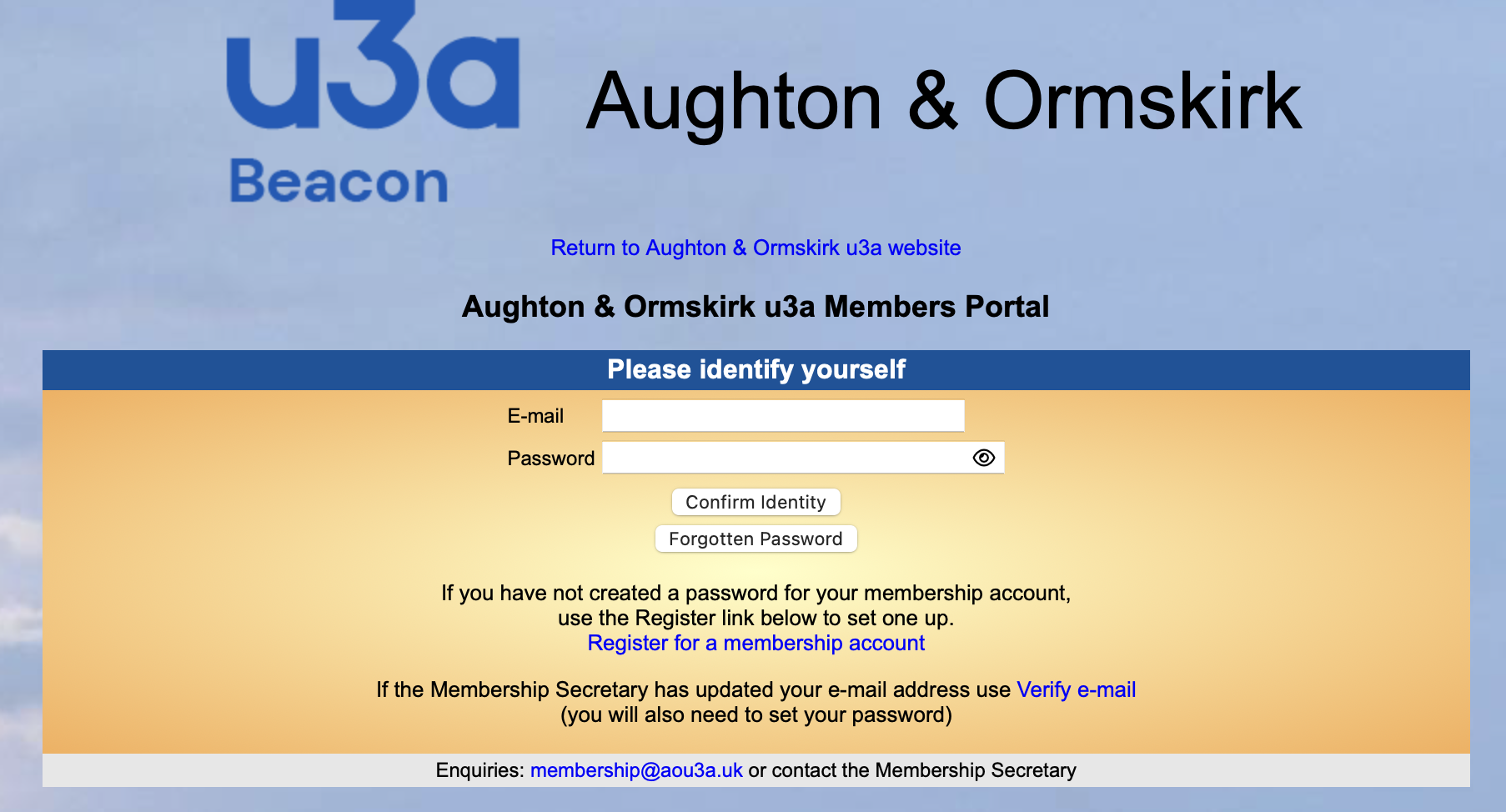 |
| 2. Select ‘Renew your membership’. | 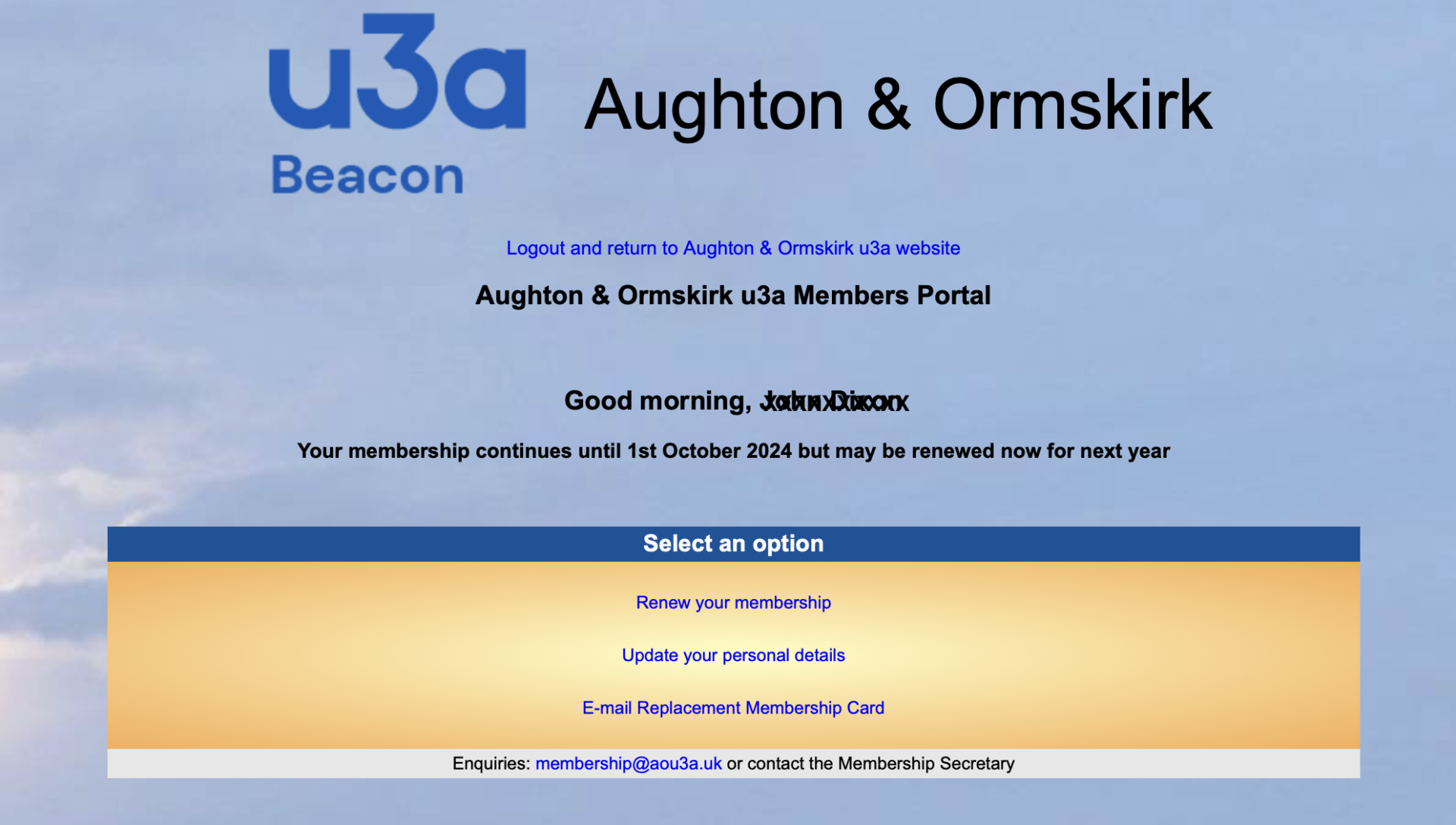 |
| 3. Continue (via PayPal) in order to pay your membership subscription | 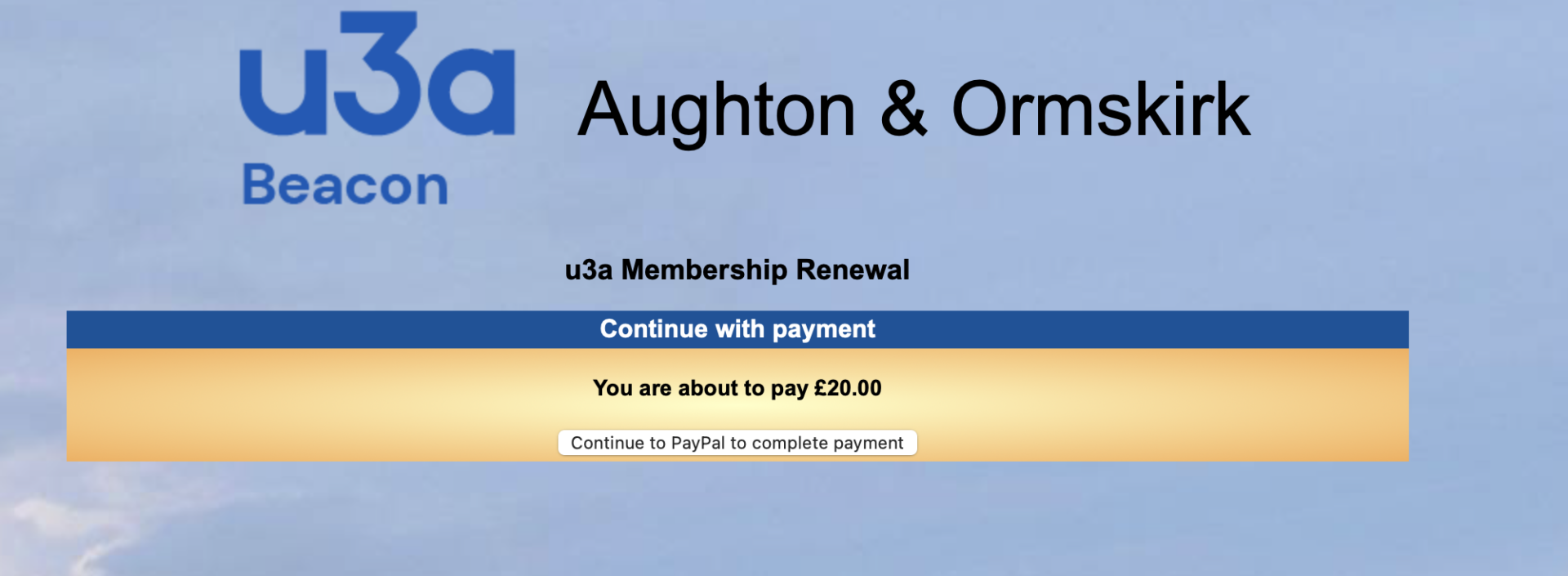 |
| 4. If you don’t want to use a PayPal account simply select the white box at the bottom (‘Pay by Debit or Credit Card’). Do not enter an email address or password in the boxes above it unless you want to use/set-up a PayPal account. If you have ever had a PayPal account then PayPal might steer you towards using that account to pay. Unfortunately this is a PayPal function and out of our control. | 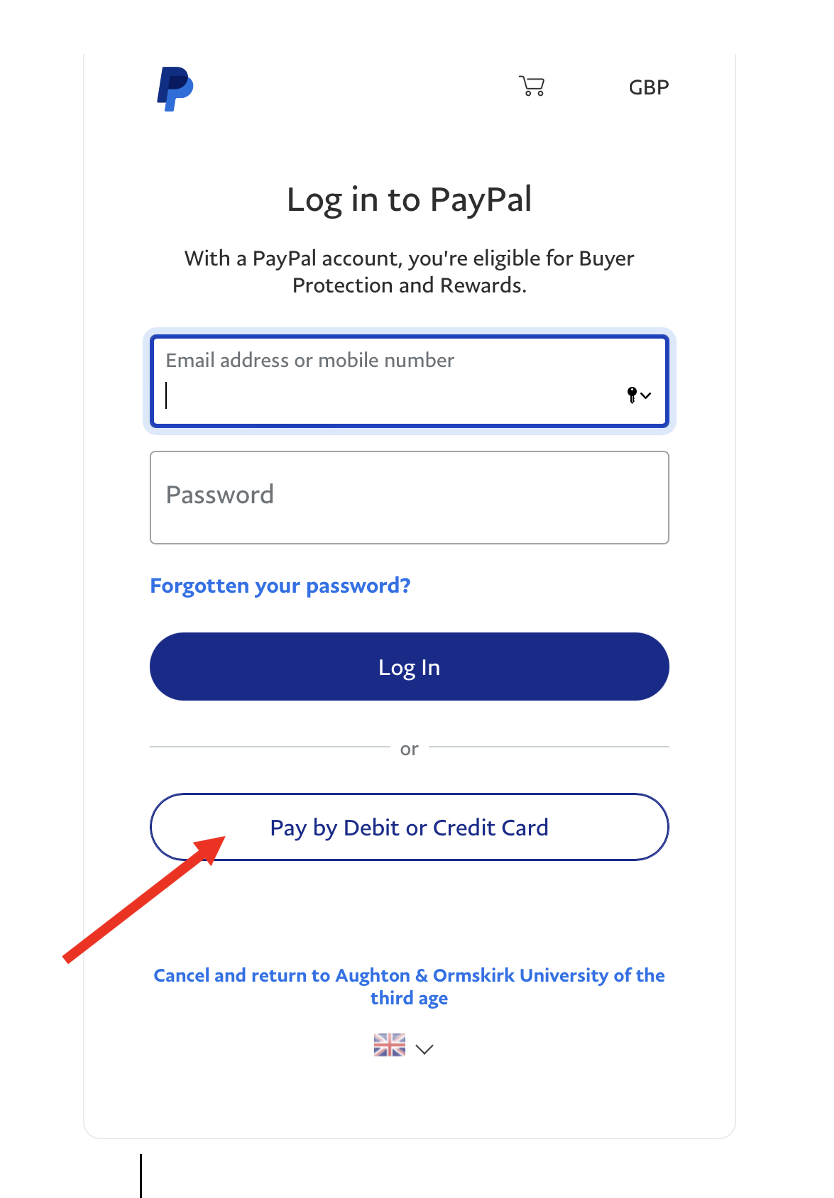 |
| 5. Enter your details including your card payment and address details. Enter your email address to get an email receipt once PayPal has forwarded the payment to the u3a. | 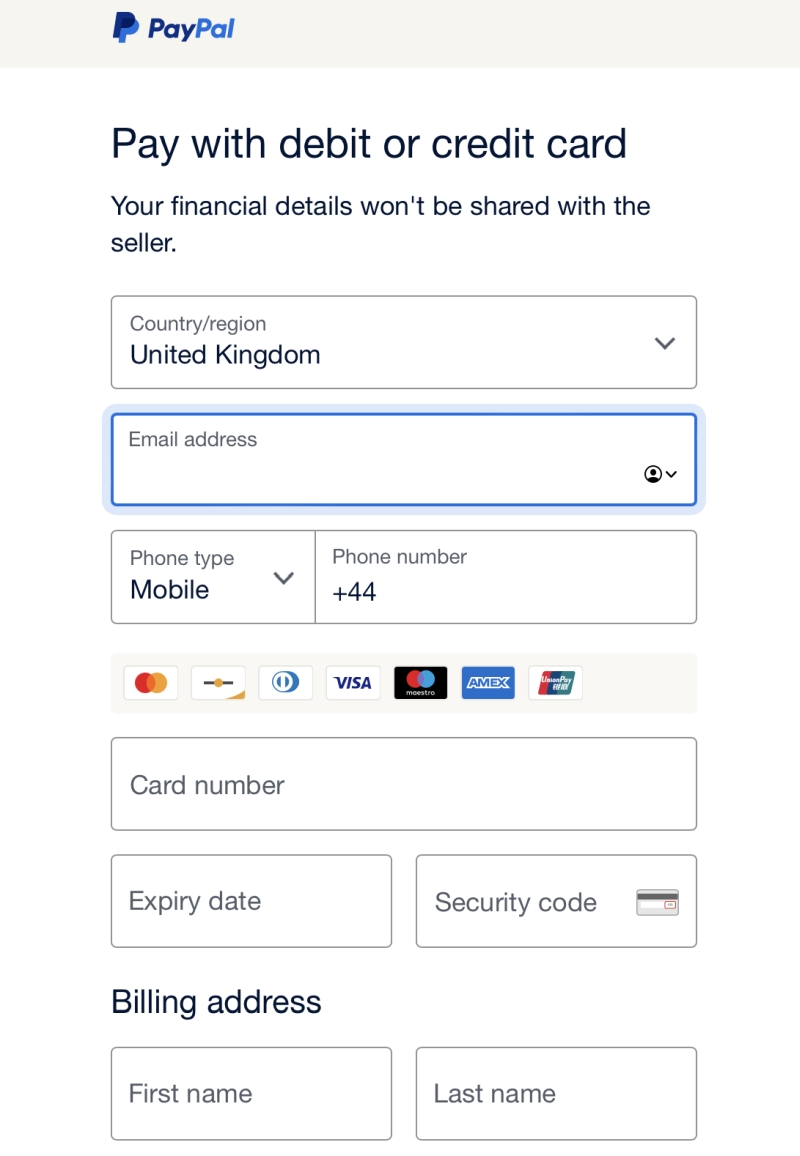 |
| 6. UNTICK the blue box under your postcode if you do not want to create a PayPal account. | 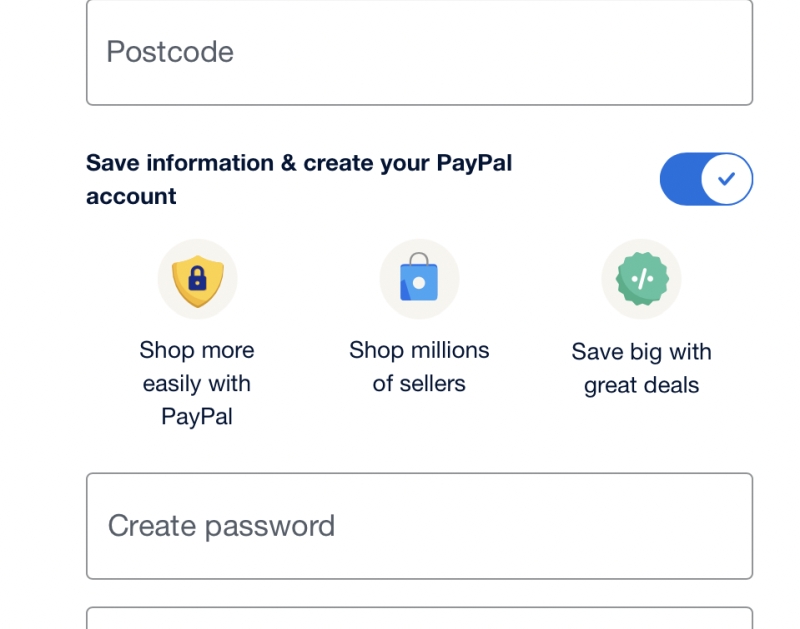 |
| 7. You can then make your payment as a guest. | 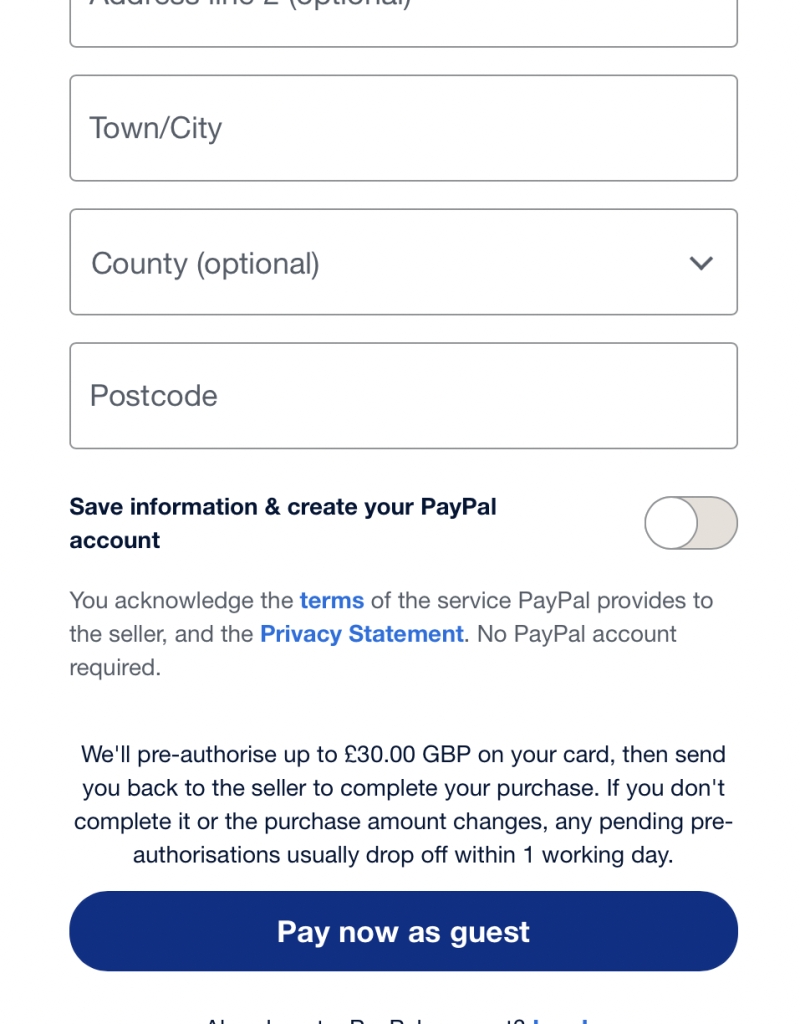 |
| 8. You will then get confirmation of your payment. Click ‘Return to Seller’ | 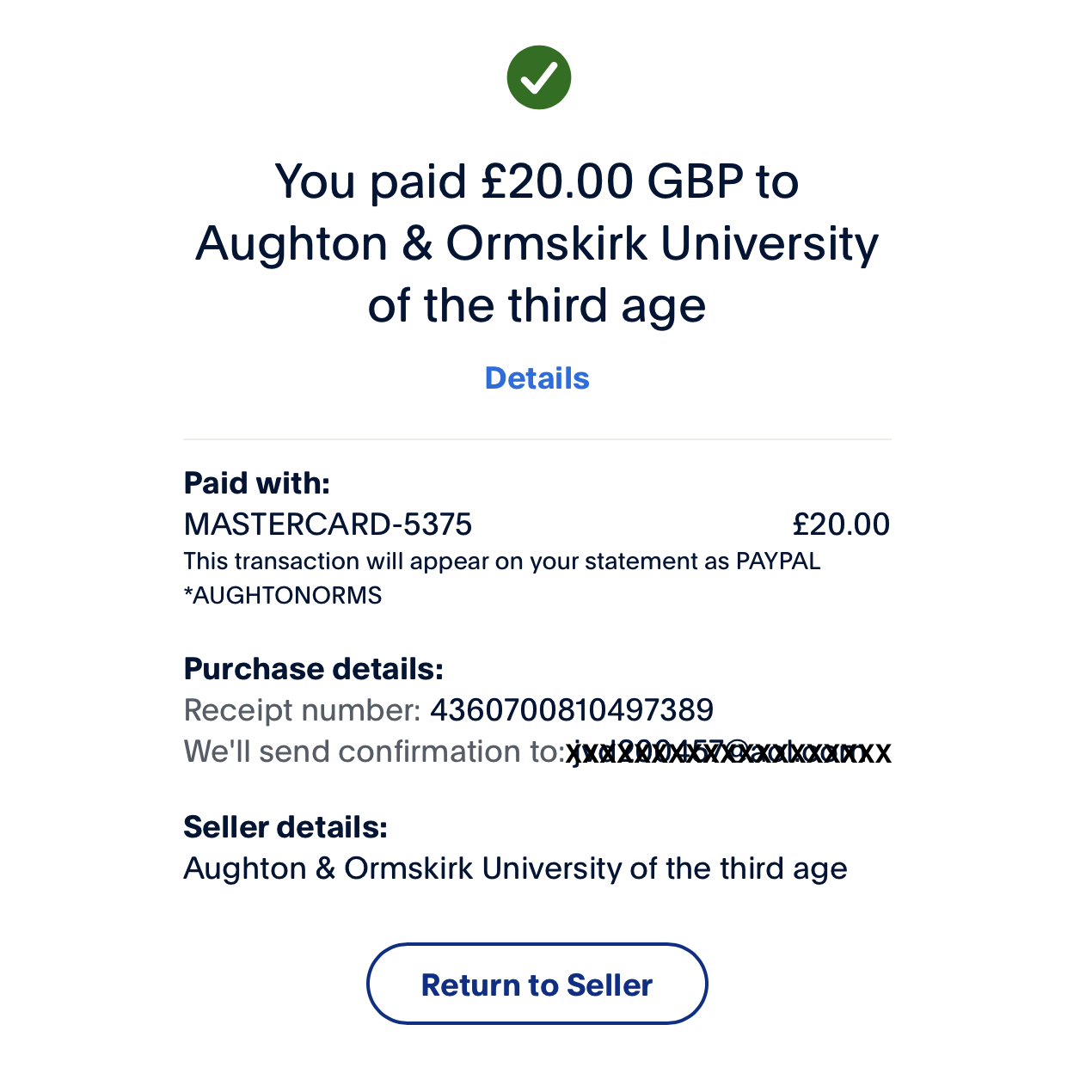 |
| 9. You will then get confirmation from Beacon | 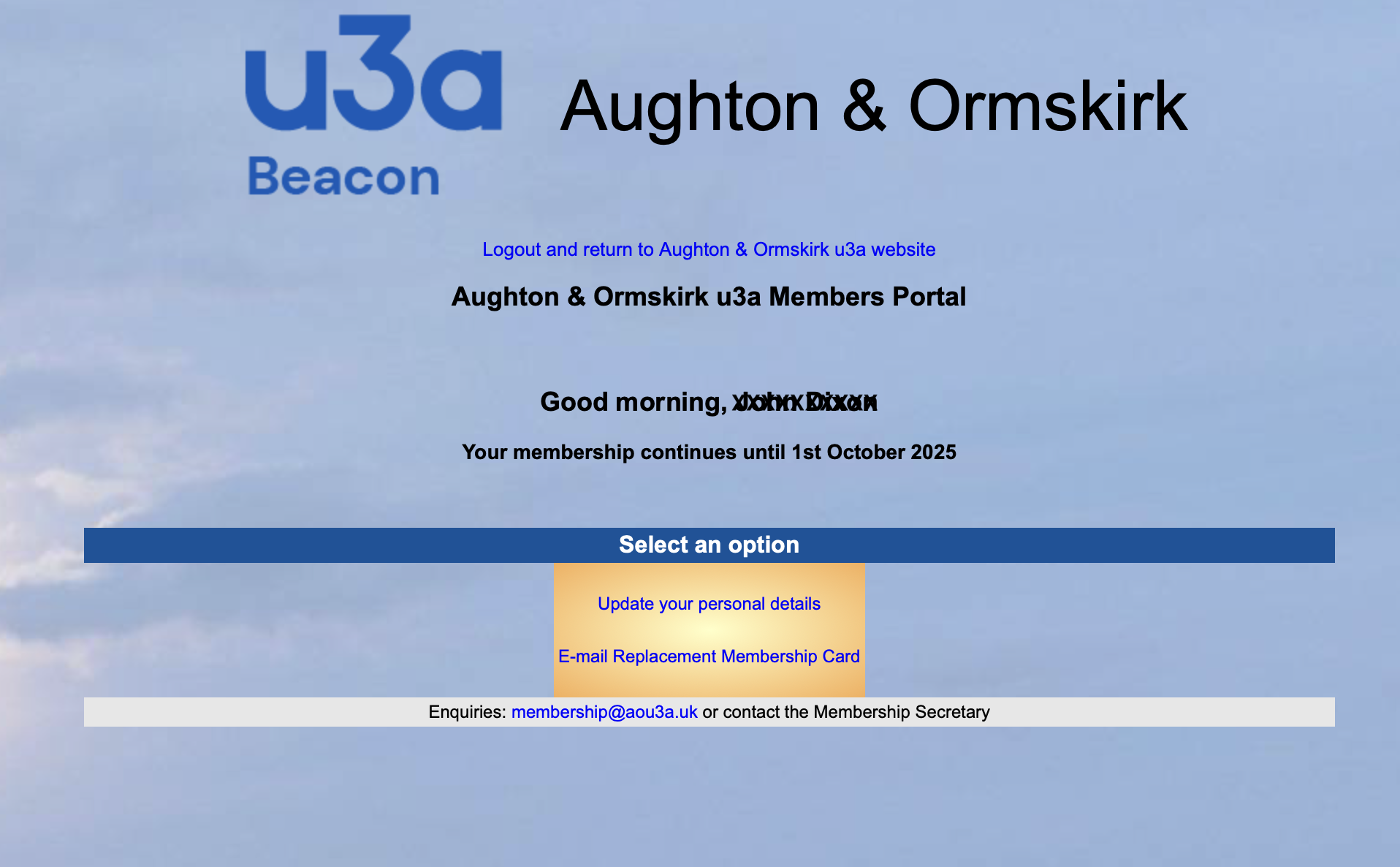 |
You will receive one email from PayPal and one email from Beacon